RH2 The Journey RH2 keyboard and controller
WASD, meter shooting, D-pad dribbles, and camera settings that keep Park readable.
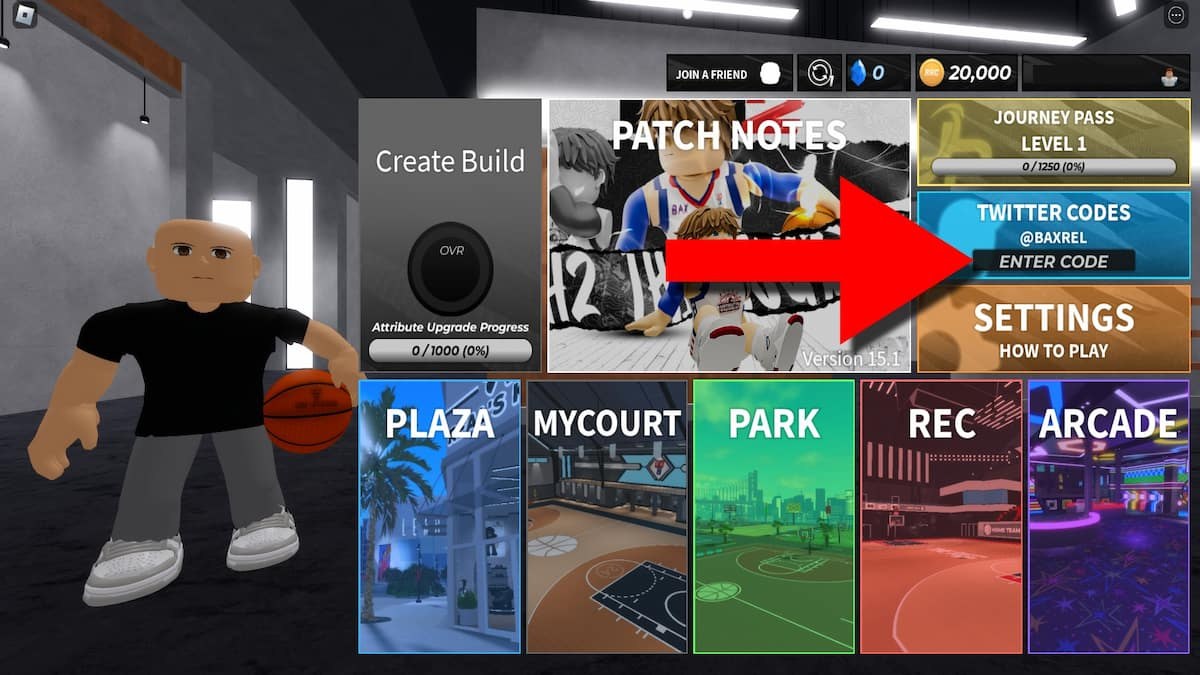
RH2 The Journey plays like a MyPLAYER sim: movement, a hold-and-release jumper, a pass button, and a dribble language that changes completely if you leave combos on the right stick. Season 5 did not invent new buttons. It did make ping, pain, and camera discipline more obvious on the Plaza HUD. Learn the layout once in Plaza, then take it to Park. This page is the input map. Shot science lives on Shooting. Combo science lives on Dribbling. Role science lives on Park and Rec. If you have not made a Season 5 player yet, start at Getting Started and come back.
BAX Studio still labels the game BETA. PC, Xbox, PS5, and mobile all run the same online modes. The advice below is community mapping for keyboard and controller. Your in-game overlay is the final list if a patch remaps a bind.
Keyboard layout for Plaza and Park
Move with WASD. Sprint with Shift. Shoot by holding left click and releasing on the meter sweet spot. Pass with right click or Q. Dribble with E, R, F, and the number keys depending on the package you equipped. Block and steal sit on Space. The mouse owns the camera.
That split is the whole PC identity: left hand for movement and dribble triggers, right hand for camera and the shot. If you try to flick dribbles and aim the camera with the same mouse motion, you will spin out in the midrange. Plaza is where you notice it. Park is where a steal happens.
Community ISO comments still mention ZZ and CC for half spins depending on hand: zz for left hand, cc for right. Those are keyboard macros players stacked on top of the default binds, not official BAX Studio shortcuts. If a clip calls for them, test in MyCourt before you bring the muscle memory to Rec.
Keep the camera a little high so you can see help defense. RH2 is not a 2K replay camera. If you cannot see the corner, you cannot skip-pass there. Bind what you must, then stop tinkering. One stable layout beats a new key every night.
Controller: D-pad dribbles, right stick camera
The most useful controller tip in the community (the Grizzles note people still repeat) is simple: keep dribble moves on the D-pad / half-court setting so the right stick stays camera, not a second dribble stick. When dribbles live on the stick, every camera adjust becomes a crossover you did not want. When dribbles live on the D-pad, you can still see the floor while you combo.
Shoot by holding X on Xbox or Cross on PlayStation, then releasing on the meter sweet spot. Ping changes that window. The HUD in Plaza shows ping and pain. High ping shrinks greens. That is not a skill issue you fix with a new jumpshot ID; it is a connection issue you respect by taking closer, more open looks.
Crossover: flick toward the opposite hand. Hesi, spin, behind the back, and between the legs are D-pad combos, not stick flicks. The full combo sheet, including Elite One behind-the-back packages, sits on the dribbling guide. Learn two moves here, not twelve. A crossover into a hesi is enough to create the catch-and-shoot look Shooting wants.
Pass on the face buttons you already use in other basketball games, then confirm in the overlay. Do not remap pass next to shoot. Rec point guards who fat-finger a jumper instead of a kick-out are why random Rec still feels chaotic even with a shot clock.
Settings that matter more than a new skin
Turn the meter on until your shoulders and arms time themselves. Meter off is a later skill, covered on the shooting page, not a badge of honor on night one. Keep a consistent camera speed. If you play both keyboard and controller, pick one device for Park week and stick to it. Mixed muscle memory is how people brick open threes they greened in Plaza an hour earlier.
Sprint is not a hold-forever button. Shift (or the controller sprint) burns stamina from the Physicals pillar. A gassed guard cannot combo, cannot close out, and cannot green. Plaza training should include moving without holding sprint so you still have a burst for the closeout or the drive.
Block and steal on Space (or the controller equivalent) are timing tools, not panic mashing. Reaching on every swing pass is how you pick up fouls and leave the paint. Bigs should treat block as a vertical contest, not a spin through the ball-handler.
Practice the binds where they are free
Plaza is the lab. MyCourt is the quiet lab. Arcade will not teach you a release. Queue a few uncontested jumpers, then add a D-pad crossover, then add a closeout. That is a controls session. When the binds feel boring, you are ready for Park and Rec, not before.
If ping spikes, stop hunting logos. Take the mid. The Shooting page explains why spam dies in a small window; this page is why you felt the window shrink. Pain on the HUD is the same story from the other side: you are hurt, the animation is late, the green is thinner.
Mobile players should treat the on-screen dribble pad like a D-pad, not like a flick stick. If the game offers a half-court / camera lock option, use it. Thumbs that both dribble and aim will dump the ball the first time a Park lock pokes.
Come back to this map after you change a dribble package. Elite One, Explosive behind the back, Swiper between legs, and Charlotte Web crossover all reuse the same D-pad directions with different animations. The fingers stay; the timing of the animation changes. That is a Plaza problem, not a Rec problem.
The Guides Hub exists so you do not mix this input page with badge theory. Put the binds in your hands, put the jumper on Shooting, put the bag on Dribbling, then queue. A controller with camera on the right stick and dribbles on the D-pad is the single settings change that makes Season 5 Park readable. Everything else is practice.
Frequently Asked Questions
Quick answers for codes, builds, shooting, and Park play.
What are the basic PC controls in RH2 The Journey?
WASD to move, Shift to sprint, hold left click to shoot and release on the meter, right click or Q to pass, E/R/F and number keys to dribble, Space to block or steal, mouse for camera.
Why do people put dribbles on the D-pad?
So the right stick can stay camera. The Grizzles-style half-court setting stops accidental crossovers when you look around. Full combos are on the dribbling guide.
How do I shoot on controller?
Hold X (Xbox) or Cross (PlayStation) and release on the meter sweet spot. Ping on the Plaza HUD shrinks that window, so take open looks instead of logos.
Does ping really change timing?
Yes. Higher ping tightens the green window. Practice in Plaza on your real connection, then read Shooting for meter habits that survive Park.
Should I learn keyboard and controller at the same time?
No. Pick one device for the first week of Park. Mixed muscle memory bricks shots you already greened. Swap later if you must, after Getting Started is done.
Where should I practice new binds?
Plaza or MyCourt. Arcade and live Rec are the wrong classroom. When the layout is boring, move to Park and Rec.